

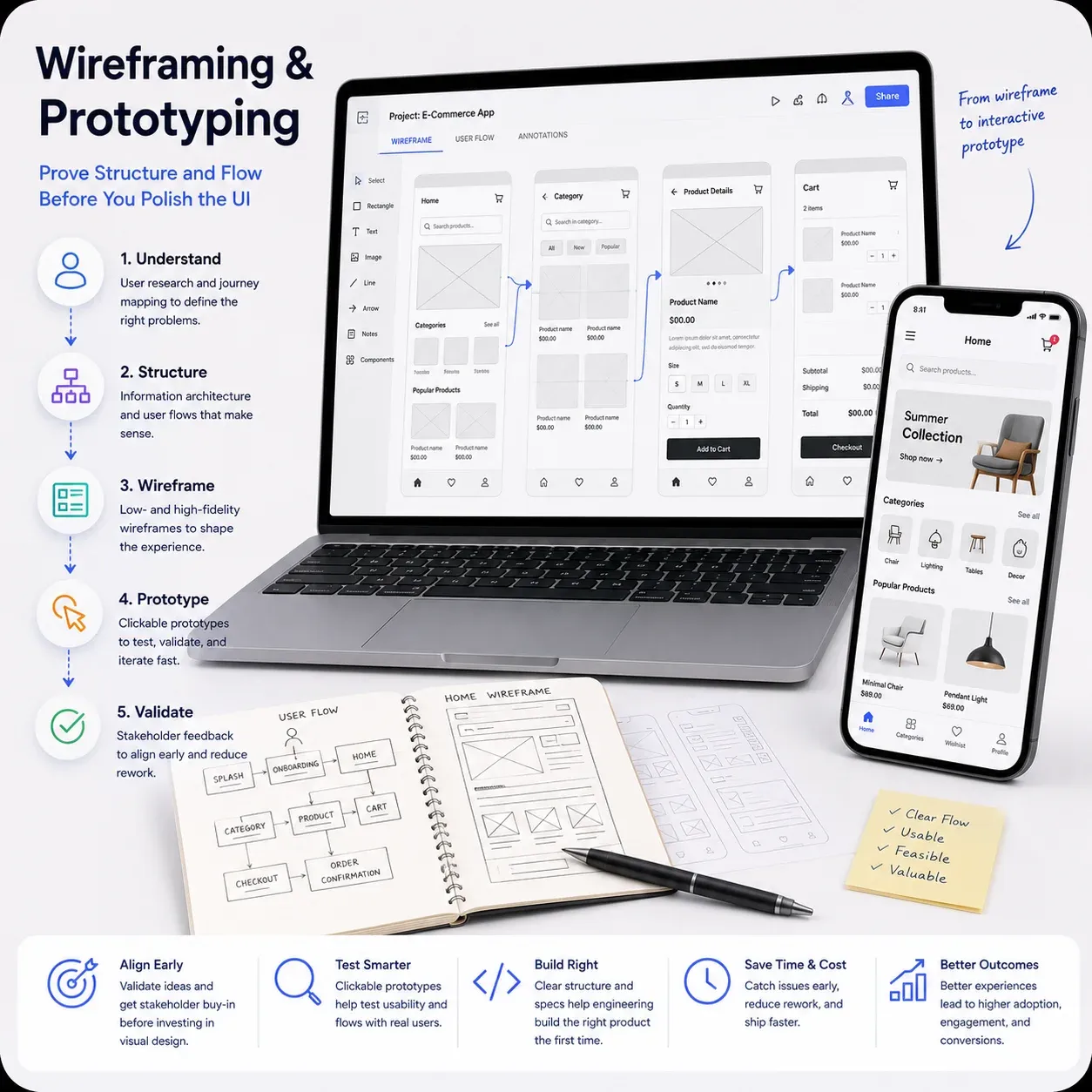
User Flows & Information Architecture
Map tasks, screens, and decision points so every journey has a clear path.

echoBitz maps journeys and builds low- and high-fidelity wireframes. We ship clickable prototypes so stakeholders align early. Engineering builds the right product the first time.
From information architecture to interactive Figma prototypes we make structure, navigation, and key paths testable before visual design or build.
Map tasks, screens, and decision points so every journey has a clear path.
Fast grayscale layouts to align content hierarchy without visual distraction.
Detailed screen structures ready for visual design or engineering handoff.
Clickable paths that stakeholders and users can walk like the real product.
Task-based prototypes and scripts so you can validate assumptions before build.
Wireframe with reusable patterns so UI polish later stays consistent.
A curved delivery path discover through validate so structure is proven before visual design or development spend.
Goals, users, constraints, and success criteria.
Map primary journeys and decision branches.
Build low- then high-fi screen structure.
Connect screens into clickable paths.
Review with stakeholders or usability tests.
We work in the formats your product, design, and engineering partners already use.
“If the flow is wrong, beautiful UI only makes the wrong product look finished.”
Organized Figma frames for web and mobile screen sets.
Shareable clickable prototypes for stakeholder walkthroughs.
Journey maps covering happy paths and critical edge cases.
Behavior notes for interactions, validation, and empty states.
Clear next steps for UI design or engineering kickoff.
Task scenarios and observation guides when testing is in scope.
echoBitz uses wireframes and prototypes to align product, design, and engineering early reducing rework when visual design and development start.
We turn requirements into testable flows that expose usability gaps early. Stakeholders get something concrete to review, and designers and developers get a clearer path forward.
Decide content and flow first so UI decisions stay intentional.
Clickable paths make feedback concrete instead of abstract debates.
Validated flows reduce late changes once engineering is underway.
Wireframes feed cleanly into visual design and design systems.
Questions about fidelity, tools, timelines, or how wireframes connect to UI design? Here are answers to common wireframing projects with echoBitz.
Start a Wireframe ProjectTypical scope covers discovery, user flows, low- and/or high-fidelity wireframes, a clickable prototype, annotations, and handoff notes sized to your product and platform needs.
Wireframing focuses on structure, navigation, and interaction logic. UI/UX design adds visual polish, brand expression, and refined component styling. Many projects do wireframes first, then move into full UI/UX.
Yes. Figma is our default for wireframes, prototypes, and collaborative review. We can adapt if your team uses another shared tool.
Yes. We can prepare test scripts and task-based prototypes, facilitate sessions, and summarize findings when testing is scoped into the engagement.
A focused flow set can land in one or two sprints; multi-product or complex enterprise journeys take longer. We confirm timeline after mapping screens and stakeholders.
Contact echoBitz with your product goals and any existing flows or screens. We propose a scoped wireframing and prototyping plan.